House23D
Phone video and photos of my room in, a measured Blender model and a printable 1:100 version out.
What I wanted
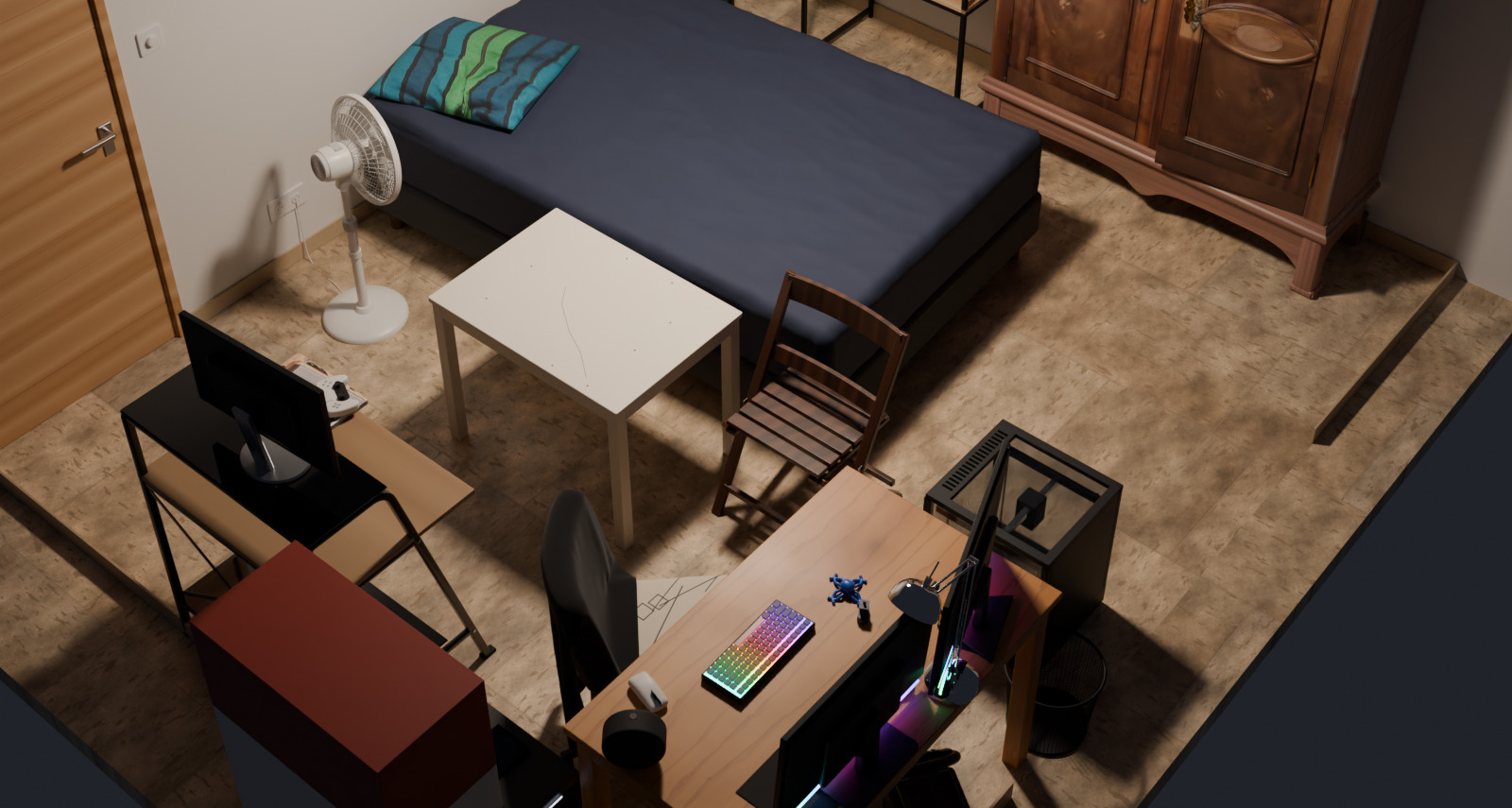
This is my own home. The room I started with is the one I sleep in, and the other rooms I tried are in the same house. I wanted my bedroom on the computer as a proper 3D model. Not a spinning blob of scanned dots, but something with the real sizes, where the wardrobe, the bed and the desk are separate objects I can move, hide or swap out. And because I own a 3D printer, I also wanted a tiny printable version of the room that I could hold in my hand.
How it works
I walked around the room filming with my phone and took 16 photos. A program called COLMAP then works out where the camera was for every picture, using the fact that the same corner looks slightly different from two places. It is the same trick your two eyes use to judge distance. What comes out is a cloud of nearly two million dots hanging in the shape of the room.
The dots are good for measuring and bad for building with. A plain painted wall gives the software nothing to latch onto, so the walls come out almost empty. So I use the dots as a very fancy tape measure and then rebuild everything by hand in Blender, a free 3D program. Each object is a small piece of code: a bed, a wardrobe, a fan, a 3D printer, 23 kinds in all. The software also has no idea how big anything is, so I gave it one real size, the room itself, measured with an actual tape measure. Everything else follows from that.
How well it worked
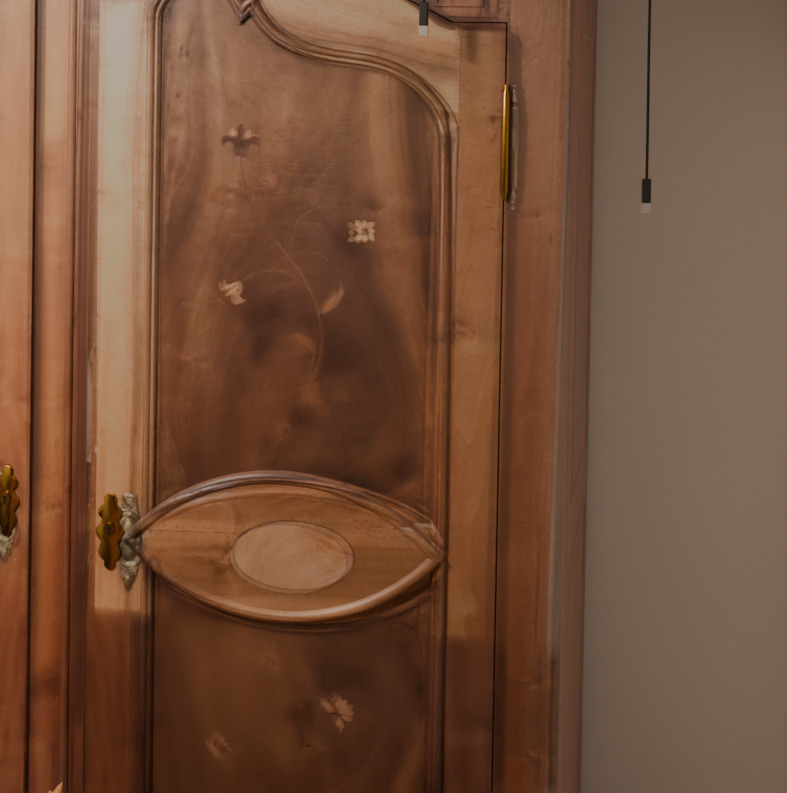
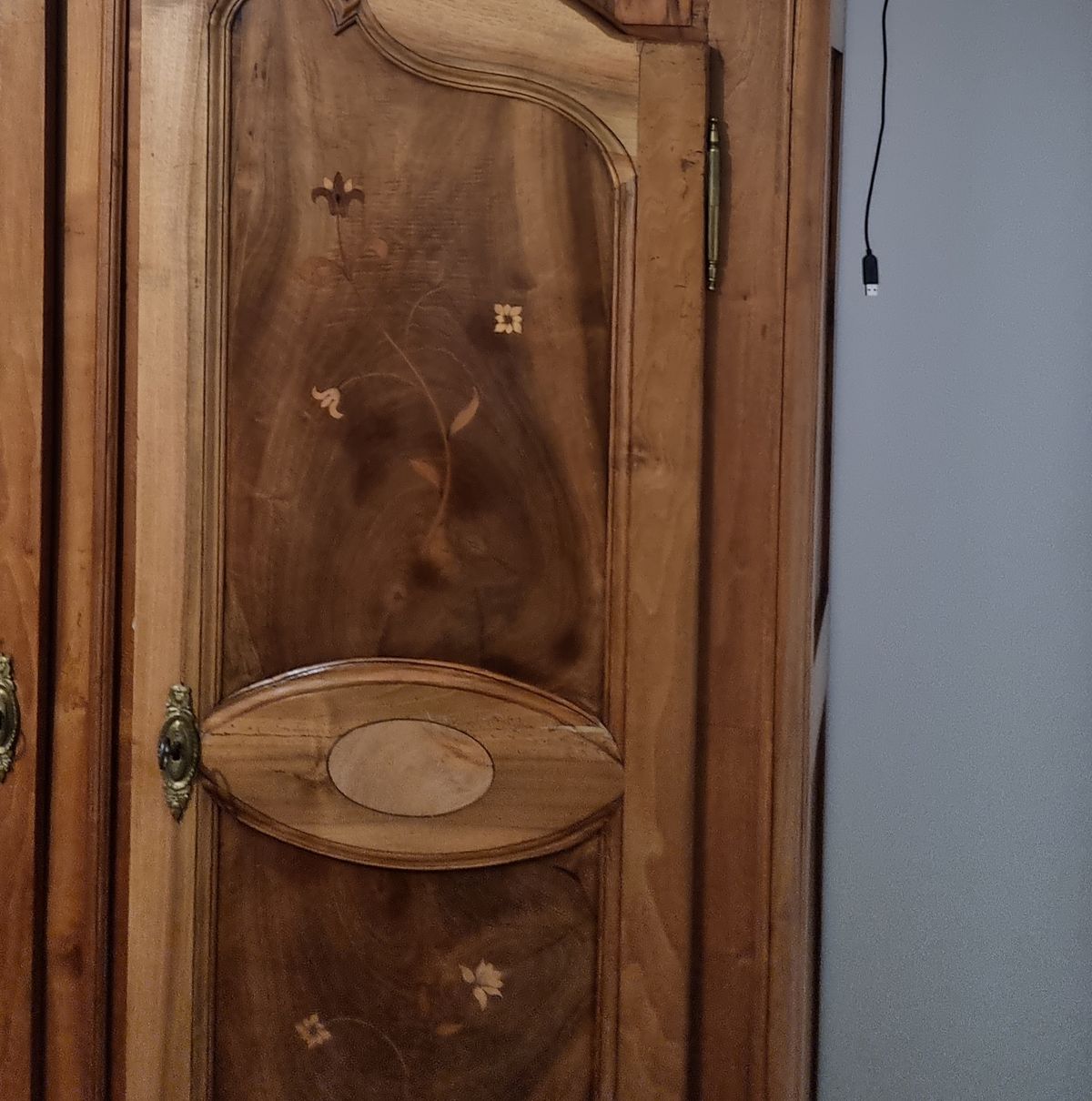
Pretty well, for this room. Drag the slider: on the left is a photo of my wardrobe door, on the right is my model seen from the same spot. Big things line up well. Small things, like what is sitting on the shelves, are only approximate. I have not measured how far off it is. The bed was the one big miss: the scan and my tape disagreed by about 7 cm, and I went with the scan.
 PhotoModel
The tiny version
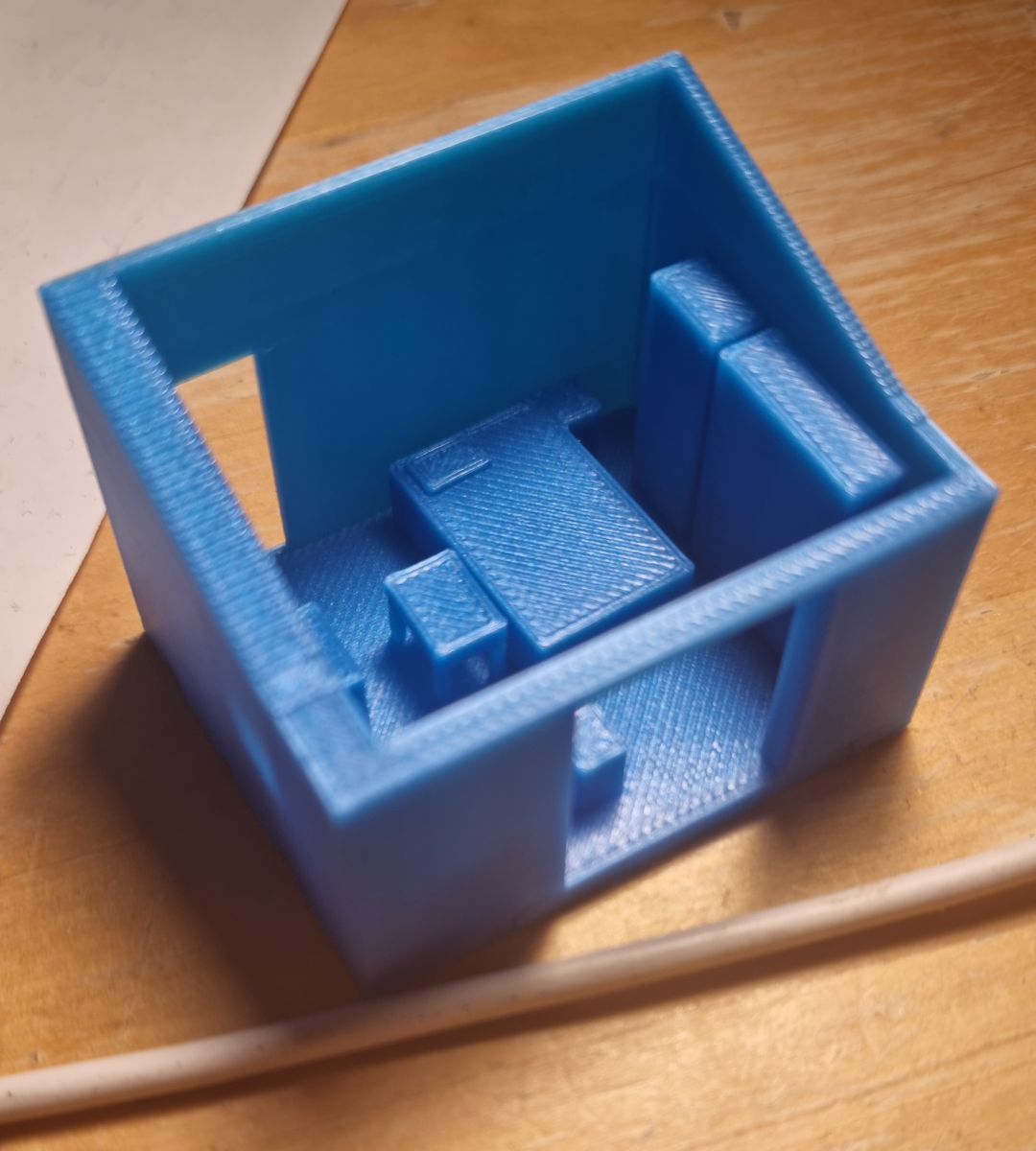
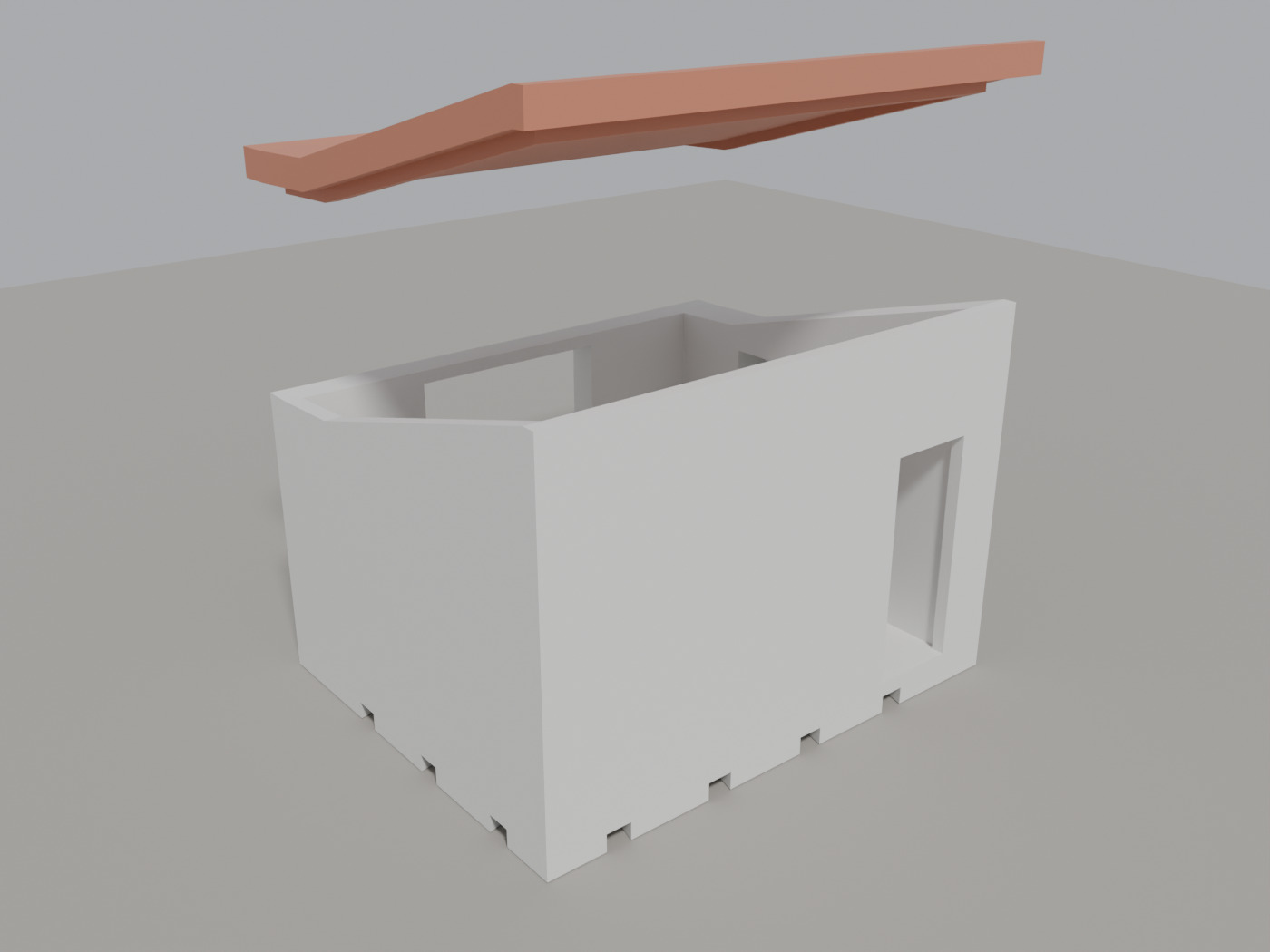
The model can also be turned into a printable version one hundred times smaller than the real room. The bedroom comes out about 48 by 39 mm and 34 mm tall, with the roof as a separate lid. The slicer, which is the program that turns a model into printer instructions, says it needs about 16 grams of plastic and roughly an hour. The rooms are meant to click together with little bow-tie shaped keys.
I printed it, the bedroom and the kitchen both, and they look really cool. The photo is the bedroom; I only took one of the room, not of the kitchen.
What went wrong
The part I could not solve is the rest of the house. I walked through the other rooms at night and tried to stitch them into one model, and the rooms refused to line up: every link between the corridor and a room failed my checks. So only the bedroom is a complete, checked model.
What's next
Next is fixing the stitching at the source. I built an Android app that records the phone's real position in metres as I walk, so rooms should join without anyone guessing the size. I haven't done a proper walkthrough with it yet, and I'm still working on making it better before I do. Whether it really joins the rooms is what I want to find out. Past that, I want a whole house of printed rooms that click together.
What I wanted
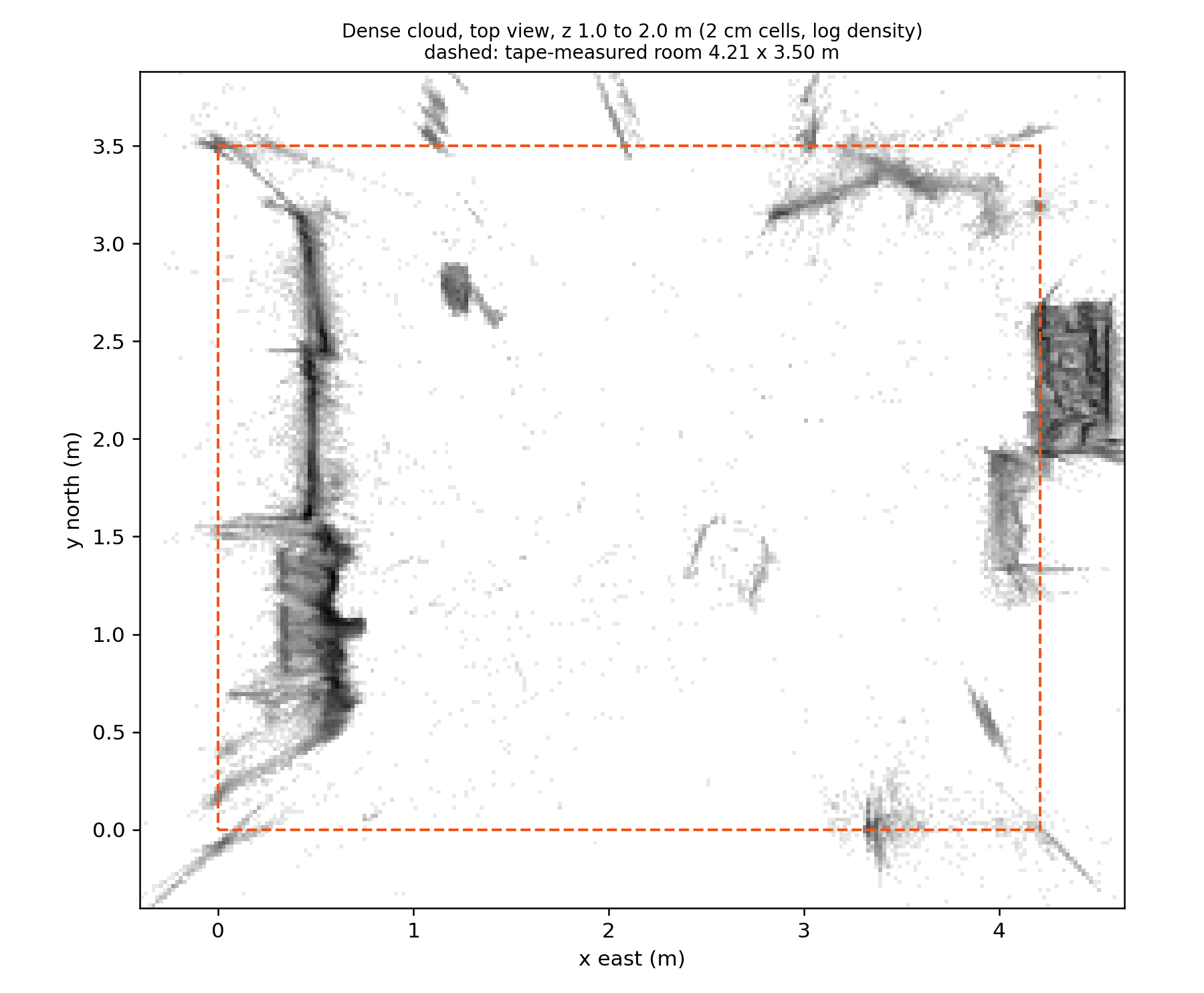
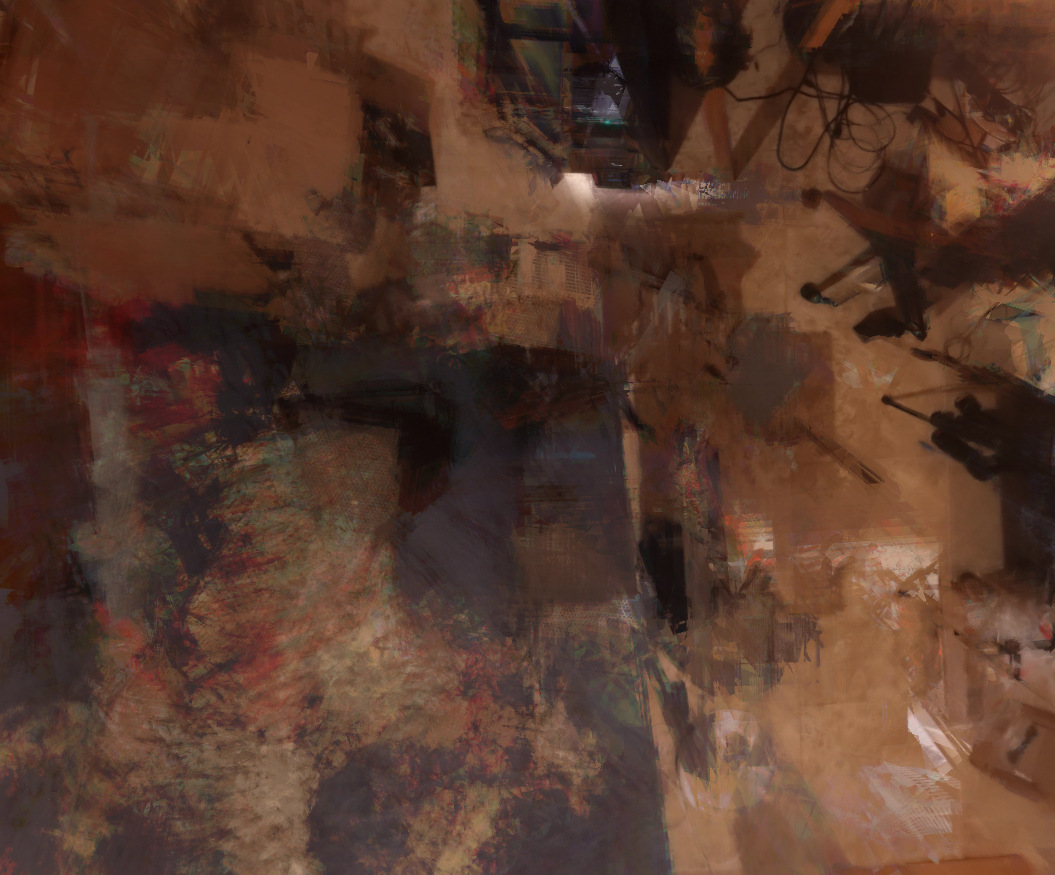
This is my own home, and the bedroom I live in is where I started. I wanted it as a clean model: real dimensions, every object separate so it can be moved or hidden, and something I could print as a dollhouse. A fused scan mesh gives you none of that. In this room the dense point cloud also has almost no points on the plain walls (figure below), so I use the scan as a measuring instrument and rebuild the room in Blender.
Why are plain walls empty?
Matching needs something to match. A flat painted wall looks the same everywhere, so the software can't tell which patch in one photo is the same patch in another, and it throws those points away. Furniture, edges and anything with texture survive, which is why the cloud is dense on the wardrobe and in the niche and thin on the walls.
How it works
I walked through the room with my phone filming and took 16 photos. The video became about 730 frames at 6 fps, and I kept the sharper frame of each pair, 366 frames. COLMAP 4.2.1 on the GPU registered 374 of the 382 images, with 64,606 sparse points, then fused a dense cloud of about 1.9 million points.
What is COLMAP doing?
COLMAP is free structure-from-motion software. It finds the same distinctive spots in many photos, and from how those spots shift between views it solves for where each camera stood and where each spot sits in 3D. That first result is the sparse cloud. A second stage estimates depth for nearly every pixel and merges it all into the dense cloud. It can never know real-world size, because a room twice as big seen from twice as far looks identical, which is why I need a scale step.
COLMAP's scale is arbitrary. align_room.py levels the cloud from the large horizontal planes and finds the yaw by making wall and furniture edges line up with the axes. fit_dense.py then refines tilt and yaw on the dense cloud, reads the wall positions off it, and sets the scale from my tape-measured room size, 4.21 by 3.50 m.
Dimensions the cloud can't give me I measure on the photos: triangulating one point across several views, building a 1 mm per pixel orthophoto of a plane from one photo's exact pose, or back-projecting pixels onto a known plane. Each number goes into layout.py or a place_*.py file, marked as tape or scan.
What is an orthophoto here?
An ordinary photo has perspective: things further away look smaller. If I know the exact camera pose and that a surface is flat, like a door or a desk top, I can project every pixel onto that plane. The result is a flat picture with no perspective where one pixel is 1 mm, so I can read distances straight off it.
The Blender side is a Python library, h3d, with 23 item modules (wardrobe, bed, desk, folding chair, fan, 3D printer and so on). Each takes parameters and returns one root object standing on the floor, so I can place it and check it alone. I note where each number came from, and the picker below shows that for a few of them.
| Item | Size | Where the size came from |
|---|---|---|
| Armoire | 1.585 × 0.53 × 2.12 m | The doors and cornice from the scan. The 0.45 m body depth is my tape, because I can't see the back. |
| Pine desk | 1.20 × 0.75 × 0.77 m | Width and depth from my tape, the top height from the scan. |
| Ladder desk | 0.82 × 0.59 × 1.01 m | From the scan and orthophotos of two photos. It is the black metal one with the slanted legs. |
| Pedestal fan | grille 0.40 m, head 0.73 m up | Back-projected from one photo. |
| 3D printer | 0.415 × 0.444 × 0.555 m | The maker's published outer size. |
| Wake-up light | 0.18 × 0.18 × 0.115 m | Its published size. |
What came out
| Item | Value |
|---|---|
| Images registered | 374 of 382 |
| Made up of | 366 frames, 16 photos |
| Sparse points | 64,606 |
| Dense points | about 1.9 million |
| Room, by tape | 4.21 × 3.50 m |
| Room piece, 1:100 | 48 × 39 × 34 mm |
| Filament, room piece | 16.3 g |
| Print time | about 59 min |
| Layer height | 0.15 mm |
To check the model I render it from the 16 solved photo cameras and lay each render over its photo, with the render's edges in red. I haven't measured the errors systematically. Large objects line up well and small clutter is approximate. Drag to compare the wardrobe door.
PhotoModelThe finished room is a Blender file that I can fly around in with Blender's walk mode, and it exports to glTF with and without the clutter.
The printable version
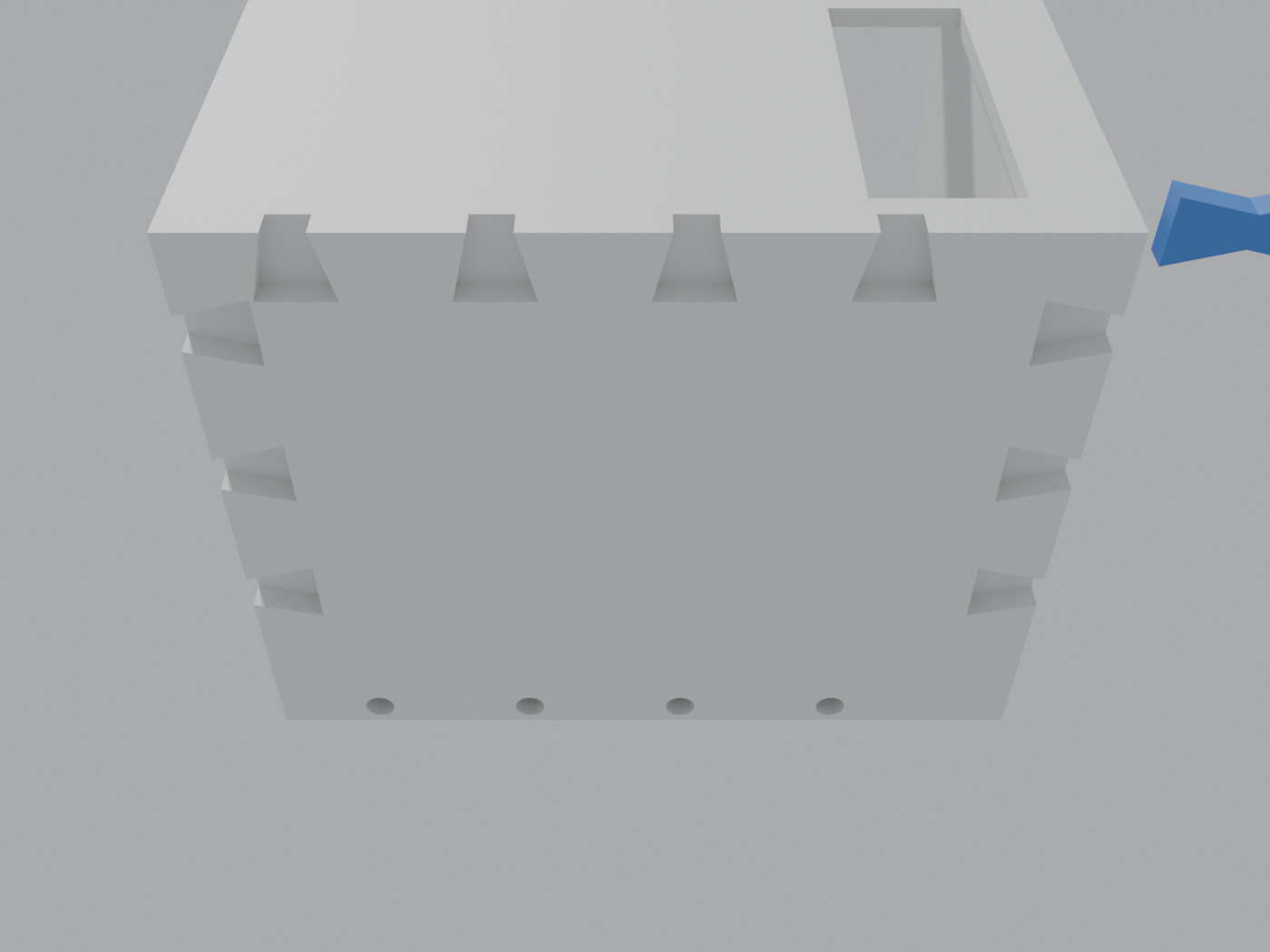
printkit.py turns a room into a 1:100 dollhouse piece. Anything that would be thinner than 1.2 mm once printed is thickened, the furniture is simplified and fused into the room piece, and the roof is a separate lid. Neighbouring rooms are meant to join with bow-tie keys dropped into sockets on a 1 m grid, and stacked floors with 1.75 mm filament pins. The room prints upright, PrusaSlicer 2.9.6 adds no supports, and it puts the room piece at about an hour. I printed the 1:100 bedroom and the kitchen, and they look really cool. I also exported a 1:20 version where each piece of furniture is its own STL; its shell is 240 × 197 × 161 mm.
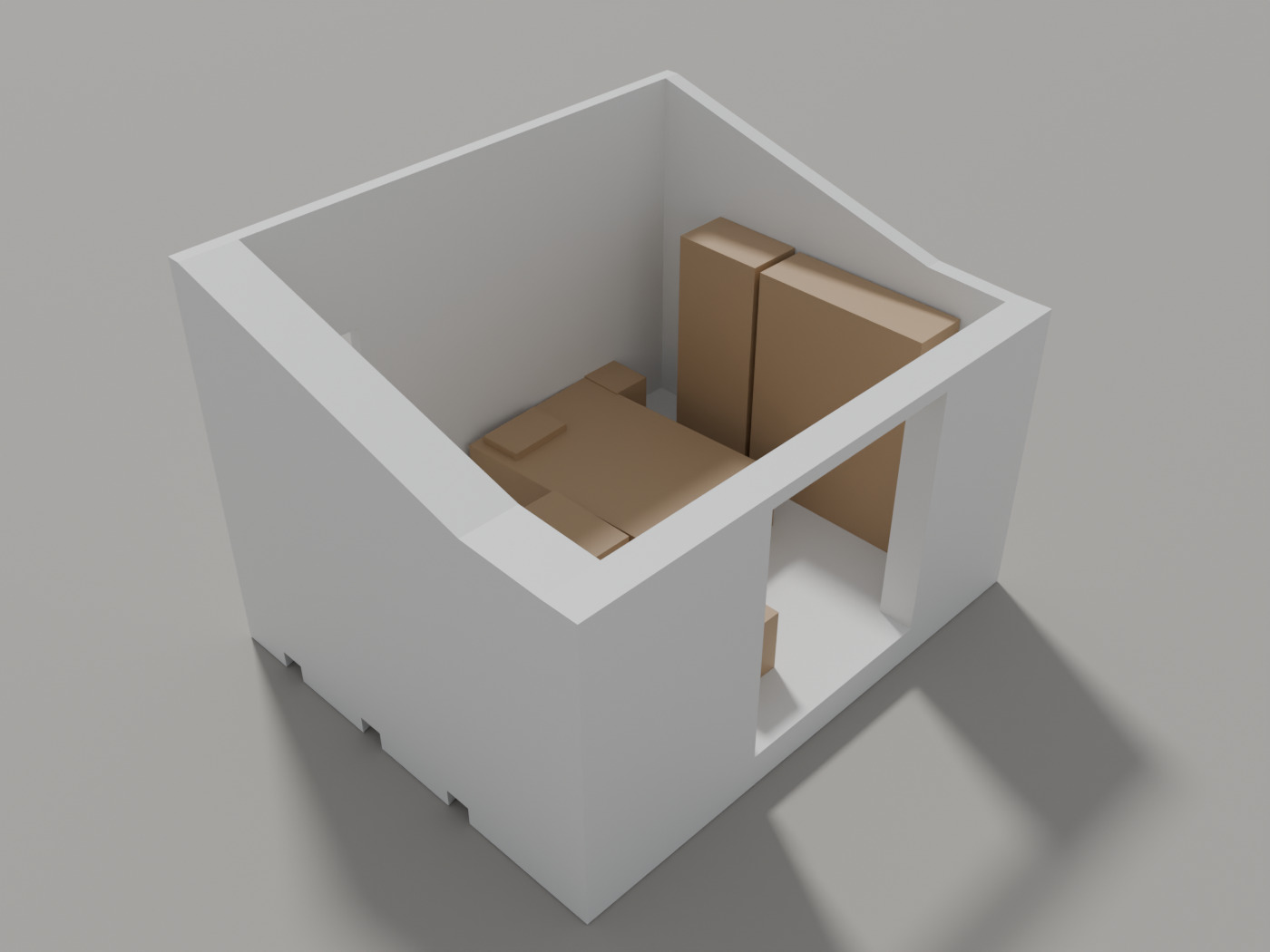
The renders above and the underside below are not photos. The photo is the printed bedroom with its simplified furniture blocks inside; I only photographed the room, not the kitchen.
What didn't work
The dense cloud is empty where the walls are plain, so the walls, doors and the wall niche come from photo measurements instead. I also tried a median mosaic of the floor from all the views. It came out smeared by furniture and cables, so the floor in the model is generated from the measured 60 by 60 cm tile layout.
My tape wasn't always right either. The scan put the bed about 7 cm further west than my tape numbers did, and I used the scan. The two wall-to-wall distances in the scan scale to my tape within 0.07% on both axes. Since the tape set the overall scale, that only checks the proportions of the room, not its absolute size. The ceiling light was never captured and sits where I guessed, and most wall thicknesses are estimates. The east wall is 0.45 m in the room model and 0.465 m in the print layout, and I haven't reconciled them.
The second stage, the other rooms in the house, was harder. On a night walkthrough (24 October 2026) I ran Depth Anything 3 on chunks of frames, and used its monocular metric head to get real sizes.
What is Depth Anything 3?
A neural network that estimates depth from images. In its multi-view mode it gives a consistent shape for a chunk of frames, but not a real-world size. A separate metric head guesses depth in metres. I used that to get sizes, then checked it against my tape where I could.
Only one of the rooms was one I could check against a tape. There the depth model's metric scale was 2.04 against 2.20 fitted to my tape, so it read about 7% small and I corrected by that factor. One room is a thin basis. The scale ranged from 1.74 to 2.50 across the rooms I ran, and inside a single room the frames disagree with each other by more than the 7% I corrected, so I don't know that the correction holds anywhere else. Chunks agree inside a room, but every link between corridor and room failed the per-frame pose check (1 to 4 of 15 to 30 shared frames agreed), so the rooms stay unlinked. The result is not usable.
What is unfinished
Only the bedroom is a complete, checked model. The other rooms are rougher: layouts taken from the depth model and printable shells, not models I have checked. I printed the kitchen at 1:100 as well as the bedroom and I like how both turned out, but only the bedroom has been checked against the photos.
To fix the linking problem at the source I built an Android app, scanner-app, in Kotlin on ARCore. It saves a keyframe with a metric pose whenever the phone has moved more than 10 cm or turned more than 8 degrees and isn't rotating faster than 60 degrees per second, and it shows a live top-down map of what is still unscanned. It builds, and the map logic has a unit test. I haven't done a real walkthrough scan with it yet and I'm still making it better, so whether it really fixes the joining is the thing I still have to find out. How the 1:100 joints between rooms behave is also still open until more rooms are finished.
- Stack
- COLMAP, Python (NumPy, OpenCV, Open3D), Blender 5.2 with Python, Depth Anything 3, Kotlin and ARCore, PrusaSlicer
- Reconstruction
- 366 video frames and 16 photos, 374 registered
- Printable room
- 48 × 39 × 34 mm (model size)
- Scope
- One room finished and checked; bedroom and kitchen printed at 1:100; joining rooms unsolved
- Status
- In progress
- Credits
- Built by me. COLMAP, Blender, Depth Anything 3, ARCore and PrusaSlicer are other people's tools.
- Code
- Not public